 ad84a58920
AthleteView
- The original structure has been retained, with numerous additions/changes
- New AthleteCard placement, now takes the first available space, supports the dragging of tiles and prevents overlapping issues
- The currently selected athlete's card is now highlighted
- Athlete switching via avatar click
- New buttons, delete, backup,etc
- New actual activity, planned activity & unsaved activity figures
- The first opened athlete can now be closed
- New button state and label management code
- Most events are now registered once on the AthleteView, which updates the athlete cards, this is required as some actions update other cards, like the change of the selected athlete.

MainWindow
- Close button is re-enabled in the tabbar.
- To allow the closure of the initial (bootstrap) athlete, no signals, events or similar can be attached to the athlete's context that have a lifetime greater than the athlete (now it can be closed). I have reviewed all uses of the bootstrap context within MainWindow and have modified a number of classes to ensure they don't use or store the bootstrap context, or in the case of the searchbox they are updated when the selected athlete changes.
- The actionPlan start & stop handlers cannot be connected to the bootstrap athlete now, and it probably wasn't right if more than one athlete is open and the bootstrap isn't the current athlete, so now these are attached to global context events, and these are triggered by the currently selected athlete context events, see context.h.
- The tabbar self generated events are now blocked when an athlete is being closed, as this led to multiple athlete selections ( I think this maybe an existing GC issue), this generated unwanted events when the current athlete was switched and the old athlete was removed from the tabbar, see athleteTabbarChange(). This was the issue that took time to track down.
- The WebEngine paths are initialised, see PR: #4824
- Removed the unused no parameter version of closeAthleteTab()
- Removed the commented out MAC code in switchAthleteTab, I couldn't see its relevance
- Removed the comment about needing a mechanism to show unsaved rides, the unsaved button on the AthleteCard provides the overall number, so I think this sort of addresses this issue.
- Moved the New Athlete option from the Athlete->Open sub menu to be a top level Athlete->New Athlete option, I think this aligns with the usual new, open, close options in other applications

NewSideBar
- This class no longer requires the bootstrap athlete context to register for configChanged() events, and it probably wouldn't have received configChanged() events when another athlete was the current athlete. It now uses the global configChanged() event.

RideImportWizard, MainWindow & SaveDialogs
- A number of the warning dialogues now indicate which athlete they relate to, to help understanding when they opened/closed quickly.

Library
- Library was being passed the bootstrap athlete context, but was only ever extracting the gcroot path from it

ChartSpace
- Removed the athlete context held in GraphicsView, as it was only ever using MainWindow pointer, so it now has a mainwindow pointer, as its athlete context could now be deleted.

OverviewItems
- Changes to the chart space item buttons to allow the background colour to be changed.

CloudService
- Context protection in case it is deleted whilst the thread is running in the background

LTMSidebar
- Removed the initialised and unused maxLength variable
[publish binaries]
GoldenCheetah
About
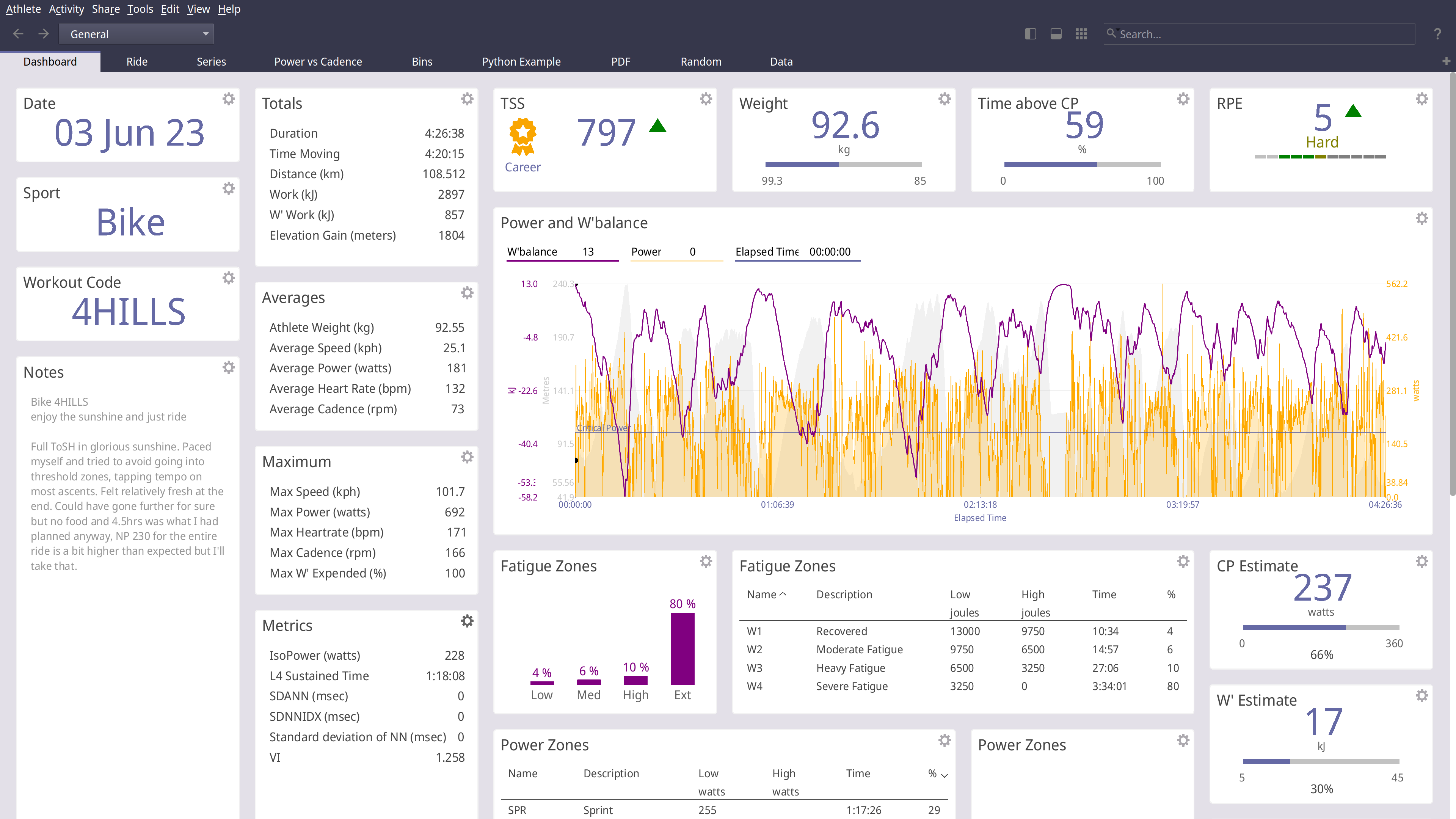
GoldenCheetah is a desktop application for cyclists and triathletes and coaches
- Analyse using summary metrics like BikeStress, TRIMP or RPE
- Extract insight via models like Critical Power and W'bal
- Track and predict performance using models like Banister and PMC
- Optimise aerodynamics using Virtual Elevation
- Train indoors with ANT and BTLE trainers
- Upload and Download with many cloud services including Strava, Withings and Todays Plan
- Import and export data to and from a wide range of bike computers and file formats
- Track body measures, equipment use and setup your own metadata to track
GoldenCheetah provides tools for users to develop their own own metrics, models and charts
- A high-performance and powerful built-in scripting language
- Local Python runtime or embedding a user installed runtime
- Embedded user installed R runtime
GoldenCheetah supports community sharing via the Cloud
- Upload and download user developed metrics
- Upload and download user, Python or R charts
- Import indoor workouts from the ErgDB
- Share anonymised data with researchers via the OpenData initiative
GoldenCheetah is free for everyone to use and modify, released under the GPL v2 open source license with pre-built binaries for Mac, Windows and Linux.
Installing
Golden Cheetah install and build instructions are documented for each platform;
INSTALL-WIN32 For building on Microsoft Windows
INSTALL-LINUX For building on Linux
INSTALL-MAC For building on Apple MacOS
Windows/macOS/Linux on AppVeyor:
Official release builds, snapshots and development builds are all available from http://www.goldencheetah.org
NOTIO Fork
If you are looking for the NOTIO fork of GoldenCheetah it can be found here: https://github.com/notio-technologies/GCNotio
Feedback
If you have questions or would like to give feedback, we have a Users Forum: https://groups.google.com/g/golden-cheetah-users