 7c9b9868fc
This is a pre-release build, changes from v3.7-Dev241257d1bdbUse speed data from imported GPX files (#4628)59e5154Read and write xdata developer fields to FIT files (#4612)79d47c5Update translation filesf03f06cAvoid Qt 6.8 buga57063cOptimize computation/draw of widgets and charts during training workouts, and Fix some train interface issues (#4624)803ca90Italian translations (#4627)a59805eEnable overlay widgets on supported platforms only5c1eaceActionButtons: Showing +- labels with Qt 6.8.2 (cont.) (#4626)f4dd479ActionButtons: Showing +- labels with Qt 6.8.2 (#4625)2aadb79CloudDB - Fallback to local cache on not availableb57e438Enable RLV for QT6 Video Window (#4609)240589cCorrection to8eb96b2d6: isHidden() is always 'false' (#4622)0114443Scatter Plot - keep CPV < 1 when Ignore Zeros8eb96b2Elevation chart as a new widget for train window (#4620)4395064Add Qt translations to Linux AppImage423473bLoad Qt translator for the selected language524cbfaAvoid QSoundEffect var out of scope too early30fdf69Use QSound instead of QSoundEffect on Qt5559c8fdDropbox cloud service - Add format parameter1baa3dbAdd Zoom property to Live map chart (#4619)51e608eScatter chart - Fix QA scale and LR balance points9123d79Revert "travis/linux: set QTWEBENGINE_DISABLE_SANDBOX=1 (#4216)" (#4597)f72c443Upgrade to Ubuntu 22.04 for Travis-ci builds69e5065Avoid Qt 6.5 bug when using windows11 stylef54bbedSync toolbar buttons on back/forward navigationec2486aCorrect incomplete signal (#4616)e909fadNamed workout filters (#4614)5dbc0ebAdd CoreTemp heatstrain from ANT message into XData2094af5Set value and value2 for tempe95315fdFix hysteresis configuration2ad79afFix typo in metric description update translationsba2461cUpdate gc icon to match the new splash screen (#4610)48c6ebdRemove Toggle Full Screen menu item for macOSd79f834Updated the splashscreen (#4599)9cf3625Move workout filter to the toolbar (#4596)20c9789Enable compiling VideoWindow with QT6 video (#4601)3af81ebAddition of CoreTemp sensor support (#4207)aee2144Add tempe ANT sensor support (#4595)d18f24cAthlete level WebEngineProfile for cookies and storage064d73cUpdate Italian translationbf84345Use default library.xml when an invalid one is presentf7e91e7Avoid crash when workout search path is emptya7d6aceBatch processing metadata auto completion field (#4590)8a5c57fReplace obsolete appimagetool Fixes #4589042e06cUpdate German translation4b2cbecUpdate FITmetadata.json to FIT SDK v21.15808e5540Assigned keyboard shortcuts to toggle sidebars (#4583)9e38ae9Fixed calculation of measures when using imperial units (#4584)e9e8393Avoid Qt 6.7 bug when using windows11 style2979ed8Text in Trainbottom window is word wrapped (#4582)b224752Update Spanish translation (#4580) [publish binaries]
GoldenCheetah
About
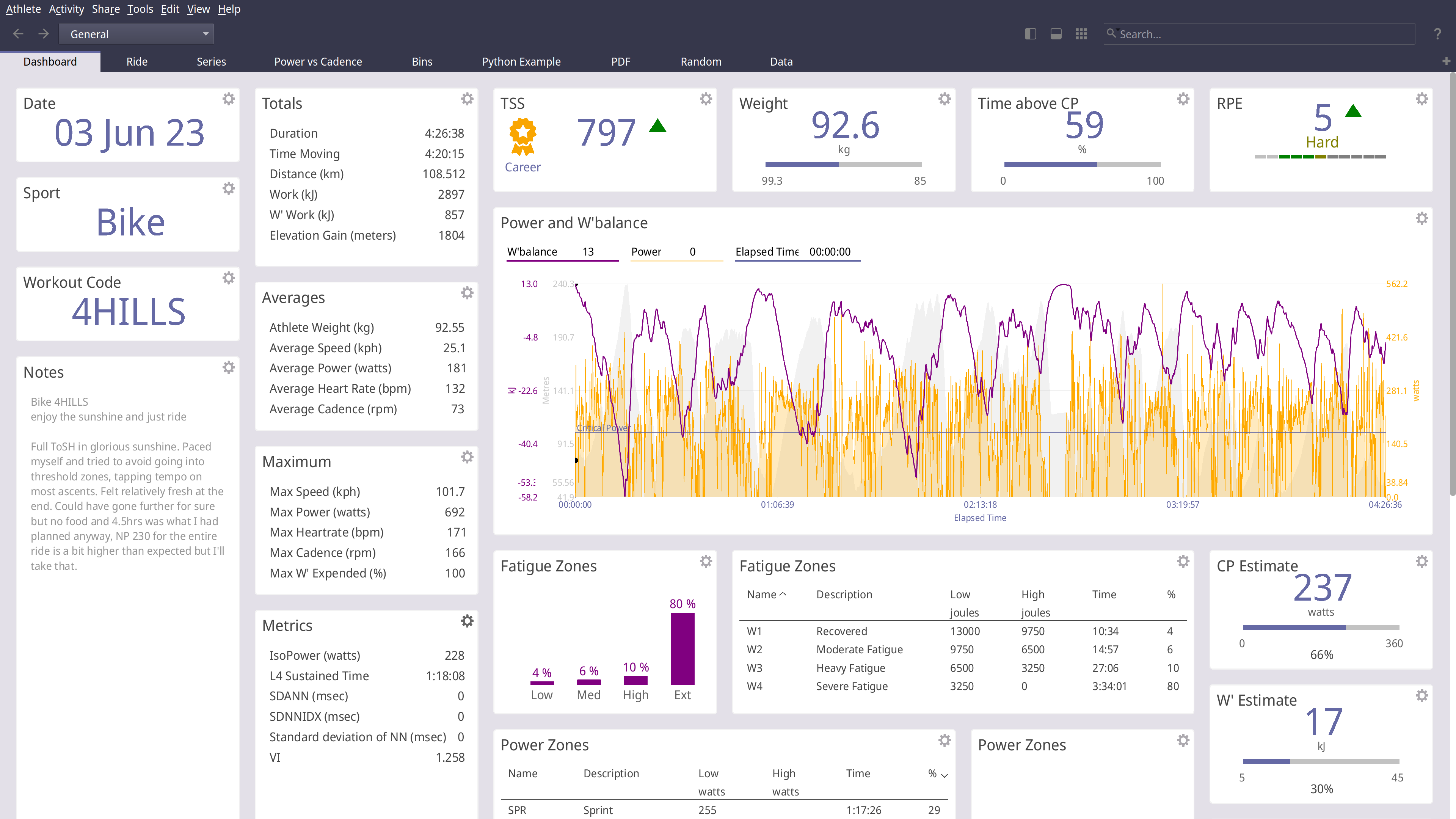
GoldenCheetah is a desktop application for cyclists and triathletes and coaches
- Analyse using summary metrics like BikeStress, TRIMP or RPE
- Extract insight via models like Critical Power and W'bal
- Track and predict performance using models like Banister and PMC
- Optimise aerodynamics using Virtual Elevation
- Train indoors with ANT and BTLE trainers
- Upload and Download with many cloud services including Strava, Withings and Todays Plan
- Import and export data to and from a wide range of bike computers and file formats
- Track body measures, equipment use and setup your own metadata to track
GoldenCheetah provides tools for users to develop their own own metrics, models and charts
- A high-performance and powerful built-in scripting language
- Local Python runtime or embedding a user installed runtime
- Embedded user installed R runtime
GoldenCheetah supports community sharing via the Cloud
- Upload and download user developed metrics
- Upload and download user, Python or R charts
- Import indoor workouts from the ErgDB
- Share anonymised data with researchers via the OpenData initiative
GoldenCheetah is free for everyone to use and modify, released under the GPL v2 open source license with pre-built binaries for Mac, Windows and Linux.
Installing
Golden Cheetah install and build instructions are documented for each platform;
INSTALL-WIN32 For building on Microsoft Windows
INSTALL-LINUX For building on Linux
INSTALL-MAC For building on Apple MacOS
macOS and Linux: 
Windows:

Official release builds, snapshots and development builds are all available from http://www.goldencheetah.org
NOTIO Fork
If you are looking for the NOTIO fork of GoldenCheetah it can be found here: https://github.com/notio-technologies/GCNotio